Tattoo portfolio photography: how to photograph your work
Clients choose a tattoo artist by looking at photos. A sharp, honest photo of a healed piece does more for your bookings than any description. You don't need a professional camera: a recent phone, good light and a few habits are enough. These are practical tips for photographing tattoos for your portfolio, your website and social media.
Why portfolio photos matter so much
A tattoo portfolio is the main reason someone books with you or keeps scrolling. Blurry photos, shiny skin, heavy filters or a busy background make good work look average. Clear, consistent photos make it easy for a client to see your linework, shading and colour, and to imagine the piece on their own skin.
Good photos also work harder on a website than on social media. On your own site they stay findable, sorted by artist and style, instead of disappearing down a feed. That is one of the reasons we compared the two in tattoo website vs Instagram.
Light: the biggest difference
Use soft, even light
Daylight from a window is the easiest good light. Put the client side-on to the window, not with the window behind them. Avoid direct sun: it creates hard shadows and burns out highlights. On a grey day the light is often perfect.
Kill the shine
Fresh tattoos are shiny from ointment or wrap, and reflections hide detail. Gently clean the area and dab it dry before photographing, following your normal hygiene routine. If a reflection stays, change the angle slightly until it disappears.
Avoid mixed colour temperatures
A warm desk lamp plus cool daylight gives strange colours. Switch off the lamp, or use only artificial light with one colour temperature. If you shoot in the studio regularly, a simple daylight-balanced LED panel or ring light gives you the same result every time.
Framing and angles
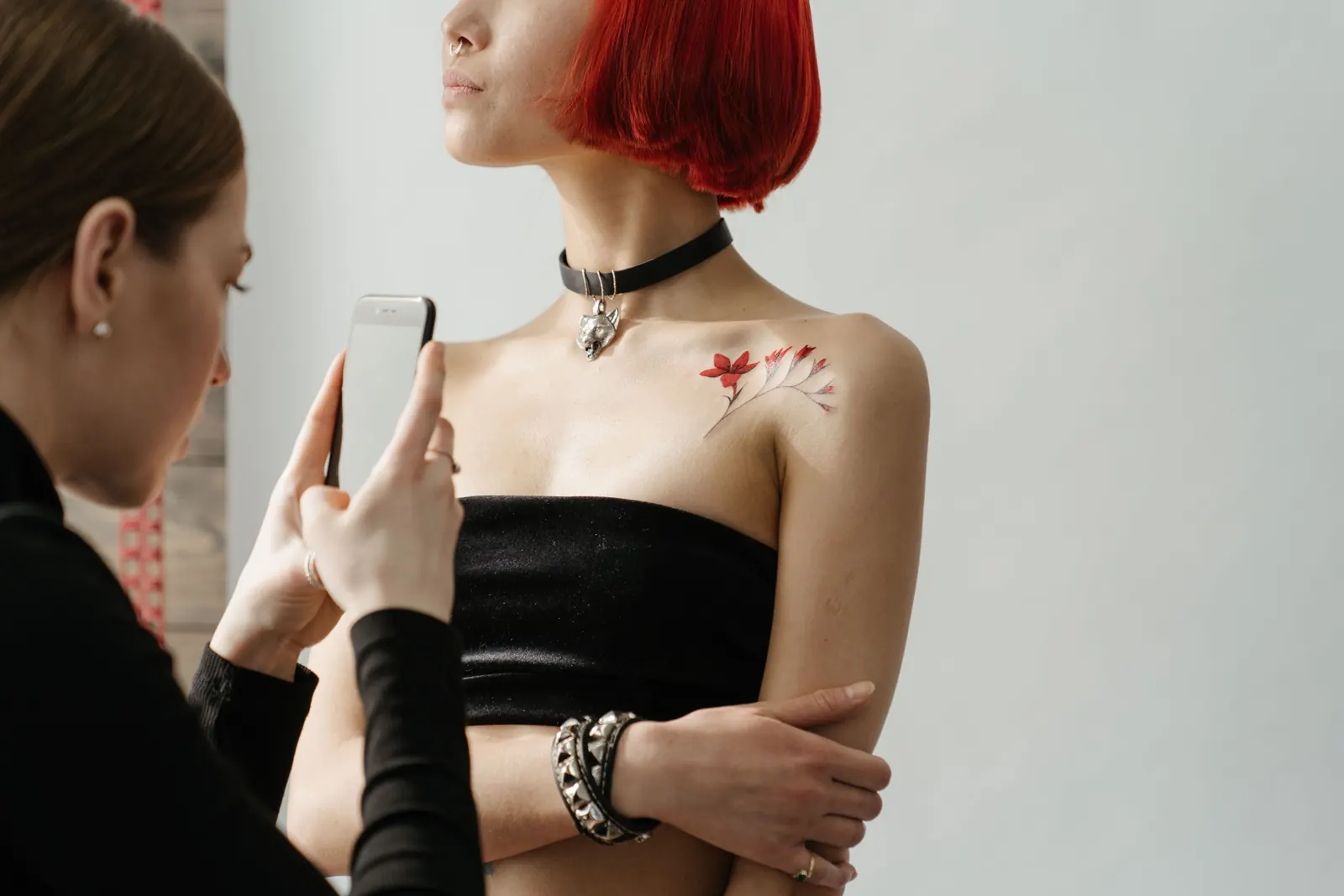
- Photograph the whole piece first, straight on, with the tattoo filling most of the frame
- Then take one or two details: a section of linework, a gradient, a face in a realism piece
- Keep the camera parallel to the skin to avoid distortion, especially on large flat areas like backs
- For pieces that wrap around an arm or leg, take several photos while rotating the limb, or a short video
- Show context once: a photo where the viewer can see where on the body the piece sits
Keep backgrounds neutral. A plain wall, a dark cloth or a clean studio corner works. Remove clutter like bottles, tissues and gloves from the frame.
Fresh versus healed
Fresh photos are useful for showing the work right after the session, but fresh skin is red and can be swollen. Healed photos show what the client really keeps: how lines settled, how shading softened and how colour holds. Many clients specifically look for healed work.
Ask clients to send a healed photo after a few weeks, or invite them back for a quick photo. Label healed photos as healed in your portfolio. That small word builds trust.
Phone settings that help
- Clean the lens before every photo
- Tap to focus on the tattoo and lower the exposure slightly so highlights don't burn out
- Use the main camera rather than the ultra-wide, which distorts at close range
- Avoid digital zoom; move closer instead
- Turn off beauty filters and automatic "enhancement" modes if your phone has them
Editing: honest and consistent
Edit to make the photo match what you see in person, not to make the tattoo look better than it is. Crop, straighten, correct white balance and adjust exposure. Don't change line thickness, colours or contrast in a way that misrepresents the work: clients will compare your photos with their own healed tattoo.
Choose one simple editing style and use it for everything. Consistent photos make a portfolio look calm and professional.
Organise your portfolio for clients
A strong portfolio is not every photo you've ever taken. Pick your best and most recent work, and remove pieces that no longer show your current style.
- Sort by artist first, then by style
- Put your strongest pieces at the top
- Write a short caption: style, placement, healed or fresh
- Update regularly so returning visitors see new work
On a tattoo website you can do exactly this. With the OnlineTattoo.art website builder, every artist gets their own portfolio, sorted by style, next to a booking form so clients can act right away.
Use the same photos everywhere
Once you have good photos, reuse them:
- In your website portfolio, sorted by style
- On your flash pages, as examples of tattooed flash
- In a newsletter to your clients, when you announce open dates or new work
- On social media, with a link back to your site for booking
Short videos
A short video can show what a photo can't: how a piece wraps around an arm, how shading catches the light, how flat a healed tattoo sits in the skin. Keep it simple. Film in the same soft light, move slowly around the tattoo and keep clips short, around ten seconds. Avoid heavy edits, music-driven cuts and filters; clients want to see the work, not the effects. A few short clips next to your photos are enough, and they work well on social media too, with a link back to your portfolio.
Ask permission
A tattoo photo shows a client's body. Ask whether you can use the photo, and where: portfolio, website, social media. Some clients prefer no face, no identifying marks or no photos at all. Respect that, and keep a simple note of who agreed to what.
Starting from an existing Instagram
If most of your work is already on Instagram, you don't need to start over. Choose the best photos, re-edit where needed and sort them. If you'd rather not do it yourself, request a free website preview: we build a first version of your site from your Instagram or current website, using your own work.
Photo: cottonbro studio / Pexels